

RAM has a direct effect on how systems respond under real workloads. When enough memory is available, processors can access active data quickly, applications run more smoothly, and users see fewer delays.
When workloads exceed available memory, the operating system has to move data between RAM and slower storage, which increases latency and reduces responsiveness.
Understanding how RAM works helps IT teams plan infrastructure more effectively. This includes knowing how memory modules are built, why RAM differs from storage, how memory capacity affects performance, and which server-grade RAM types fit enterprise workloads.
What Is RAM Memory in Computing Systems?
RAM, or random-access memory, provides the active workspace where processors execute instructions and handle data in real time.
It is a form of electronic memory that allows data to be read and changed in any order, which makes it essential for operating systems, applications, databases, virtualization platforms, and other performance-sensitive environments.
Unlike long-term storage, RAM is designed for fast temporary access. The operating system loads active programs and working data into RAM, so the CPU can retrieve what it needs without waiting on slower drives.
Physical Structure of RAM Computer Components
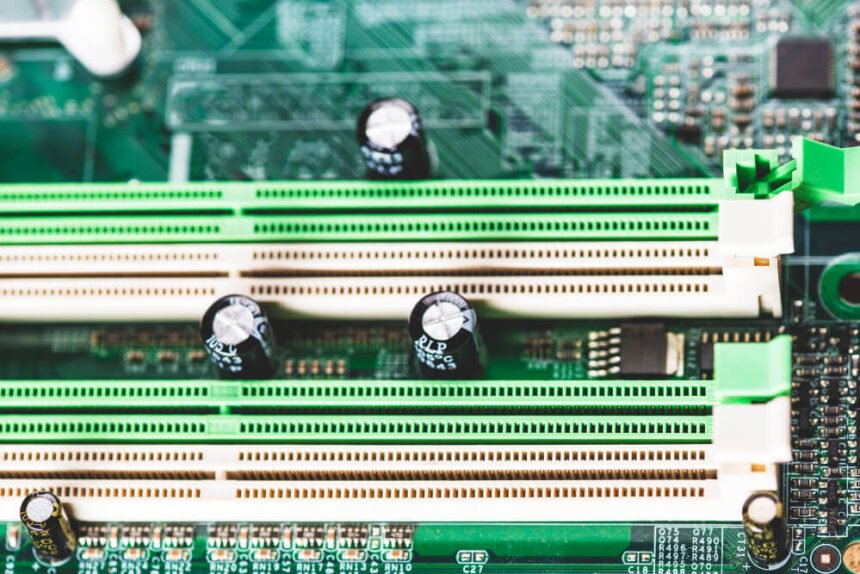
RAM is built from integrated circuit chips that contain semiconductor memory cells. These chips are mounted on rectangular circuit boards called memory modules, which fit into slots on a server, workstation, or desktop motherboard.
Most business systems support more than one module, and many servers provide several channels for higher capacity and bandwidth.
Modern systems mainly use two forms of volatile RAM: dynamic RAM and static RAM.
Dynamic RAM, or DRAM, stores each bit with a transistor and capacitor pair. The capacitor holds a charge that represents a 1 or 0, while the transistor controls access to that charge.
Because capacitors gradually lose charge, DRAM must be refreshed regularly to preserve data while the system is powered on.
Static RAM, or SRAM, stores data with multiple transistors and does not need the same refresh cycle. It is faster and more expensive than DRAM, so it is usually used as CPU cache rather than main system memory.
DRAM remains the dominant choice for main memory because it offers a practical balance of capacity, cost, and performance.
Memory modules also use banks, ranks, channels, and controllers to organize access. These design details affect how efficiently data moves between memory and the processor, especially in servers that handle many users, virtual machines, or database transactions at the same time.
How RAM Is Different from Storage Drives
RAM and storage serve different roles. RAM holds the data that a system is actively using. Storage drives, such as SSDs and HDDs, preserve files, applications, operating system data, and backups after power is removed.
Speed is the biggest difference. RAM is much faster than non-volatile storage, which is why systems use RAM for active work and storage for persistence.
When you open an application, edit a large file, or run a database query, the system loads relevant data from storage into RAM, so the CPU can work with it more quickly.
Why RAM Is Volatile Memory
RAM is considered volatile memory because it loses stored data when power is disconnected. This behavior comes from the way DRAM and SRAM maintain information electrically. Once power is removed, data held only in RAM disappears.
Storage devices are non-volatile, which means they retain data after shutdown. This difference makes RAM unsuitable for long-term storage but ideal for rapid access during active operations.
Volatility also has practical benefits. Temporary data is cleared when a system powers down, which can reduce the amount of sensitive information left in active memory. However, it also means unsaved work must be written to persistent storage before shutdown or restart.
For IT planning, this distinction matters. RAM supports speed, while storage supports durability. Reliable infrastructure needs both, with enough memory to keep active workloads responsive and enough storage to preserve data safely.
How RAM Works in Modern IT Infrastructure
Every instruction a processor executes depends on access to data. Most working data starts in RAM, then frequently used pieces may move into CPU cache, and the most immediate operations are handled in processor registers. This hierarchy allows systems to balance speed, capacity, and cost.
Data Flow Between CPU and RAM
The CPU communicates with RAM through memory controllers and channels. These controllers manage how data moves between the processor and memory modules.
In modern server platforms, multiple memory channels allow parallel access, which can improve bandwidth for demanding workloads.
Memory Allocation in Multi-User Environments
Operating systems allocate memory to processes as applications request it. In many systems, memory is not fully committed until a process actually touches a page, which allows resources to be used more efficiently.
Multi-user and multi-threaded environments add complexity. Several applications, containers, or virtual machines may request memory at the same time.
If the system cannot allocate enough physical RAM, it may rely on paging or force applications to compete for limited resources.
RAM’s Role in Application Performance
RAM capacity affects how many applications, users, processes, and virtual machines a system can support at the same time. Each application needs memory for code, active data, buffers, and temporary operations. When available RAM is limited, the system spends more time moving data around and less time doing useful work.
Memory also affects large file operations, database performance, development environments, virtual desktop infrastructure, analytics workloads, and server consolidation projects. A database may cache frequently accessed records in RAM.
A hypervisor may divide memory across many virtual machines. A rendering or engineering application may load large project files into memory before work can begin.
More RAM does not automatically fix every performance issue, but insufficient RAM is one of the most common infrastructure bottlenecks. The best approach is to size memory based on workload behavior, not only on minimum vendor requirements.
Lifecycle planning also matters. As memory is upgraded, consolidated, or removed from service, organizations may need a reliable way to recover value from surplus modules.
Big Data Supply buys and recycles computer and server RAM in bulk, including used RAM and high-bandwidth memory, which gives IT teams a practical option when refreshing infrastructure or clearing retired equipment.
Types of RAM Used in Enterprise Systems
Server-grade RAM is available in several forms. The right option depends on platform compatibility, capacity needs, reliability requirements, budget, and workload type.
DDR4 vs. DDR5 in Server Environments
DDR4 and DDR5 are two common generations of synchronous DRAM used in modern infrastructure. DDR4 remains widely deployed in existing servers, while DDR5 is common in newer platforms.
DDR5 provides higher baseline transfer rates than DDR4 and introduces architectural changes that improve bandwidth and efficiency.
Standard DDR5 memory speeds begin at 4,000 MT/s and commonly extend to 6,400 MT/s under JEDEC specifications, with higher speeds available in some modules and platforms.
DDR5 also changes how a module is organized. Instead of one wider data channel per module, DDR5 uses two independent subchannels, which can improve efficiency for certain access patterns.
ECC RAM for Data Integrity
ECC memory, or error-correcting code memory, detects and corrects certain memory errors before they affect applications or stored data. This is especially important in servers, databases, industrial systems, and other environments where silent data corruption can cause serious problems.
ECC works by adding check bits that allow the system to identify and correct small faults. Kingston explains that ECC helps detect and correct data errors as information is stored, transmitted, or processed, reducing the risk of silent corruption in enterprise workloads.
Many ECC implementations support single-error correction and double-error detection, often called SECDED. In practice, this means the system can correct many single-bit errors and detect many two-bit errors. This added protection is one reason ECC memory is standard in many server-class platforms.
RDIMM vs. LRDIMM for Scalability
Registered DIMMs, or RDIMMs, include a register between the DRAM chips and the memory controller. This reduces the electrical load on the memory controller and supports better stability at higher capacities than unbuffered memory.
RDIMMs are common in enterprise servers because they balance capacity, reliability, performance, and cost. They are often suitable for general server workloads, virtualization hosts, application servers, and database systems that need ECC support without the highest possible memory density.
Conclusion
RAM is a core part of modern IT infrastructure because it shapes how quickly systems can access active data. Capacity, speed, latency, reliability, and module type all affect performance, especially in servers that support many users or memory-intensive workloads.
Good memory planning starts with understanding actual workload behavior. IT teams should monitor usage, avoid sustained paging, choose compatible DDR generations, use ECC where data integrity matters, and select RDIMM or LRDIMM modules based on capacity and scalability needs.
RAM upgrades can extend the useful life of infrastructure, while responsible disposal of retired modules can support cleaner asset management and recover value from equipment that is no longer needed.